Translate This Page

Total Hit Count


GET FREE UPDATES

Tip of The Day

How To Remove Shortcut Virus From Pendrive/PC (Updated)

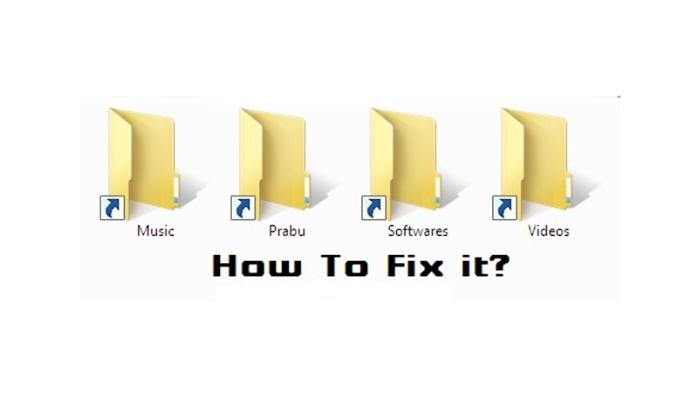
Today's As per as we use our pen-drives and other Hard drive in our Pc/Laptops.We face some shortcuts which harm our files. So The questions arises That from where that shortcuts Comes? And after all The main question that we don't know that How To Remove Shortcut Virus From Pendrives or PC.

What Is Shortcut Virus ?

shortcut virus is a virus (a malware) that hides your original files inside shortcuts.The way it hides the file remains unknown though the effect is quite visible. The original files are there in the drive itself, but in such a position that you can’t recognize it nor take it out. Shortcut Virus Sometimes delete your important data.

Initially, it doesn’t harms your files but later on, it may make them corrupt or even delete all the files, depends on the type of shortcut virus.

Method-1: Using CMD To Remove Shortcut Virus

Step 1. To remove your shortcut virus with the help of your command prompt system, you need to follow the steps ahead.

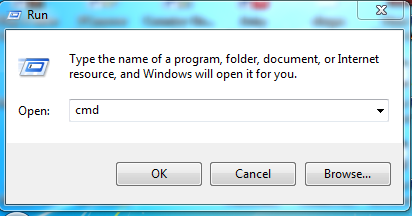
Step 2. Open Command Prompt by pressing Windows + R and Enter “CMD” in the box and hit enter.

A black Color of window is open in front of you.

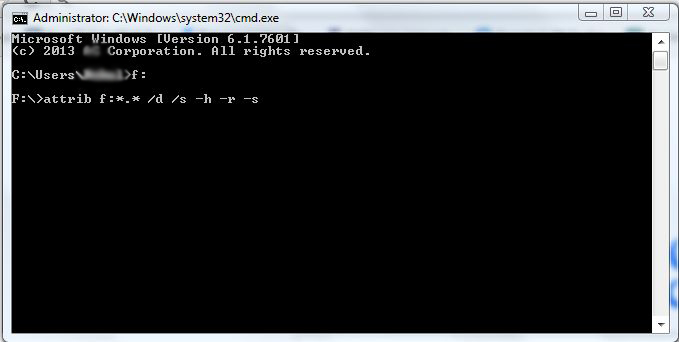
Step 3. Now enter the following in your Command Prompt

attrib <Your USB drive>:*.* /d /s -h -r -s

without quotes ‘Your USB drive letter‘ must be replaced with your own drive letter. Suppose your flash drive name is "F" so you must imply the following command

attrib f:*.* /d /s -h -r -s

without quotes and hit enter.

To know about this command Type ” attrib /? ” In CMD Window.you can know more about it.

Step 4. Now wait for some time until CMD finishes the command, once it’s completed successfully the shortcut virus will be removed from your PC.

Method - 2 Using Software To Remove Shortcut Virus

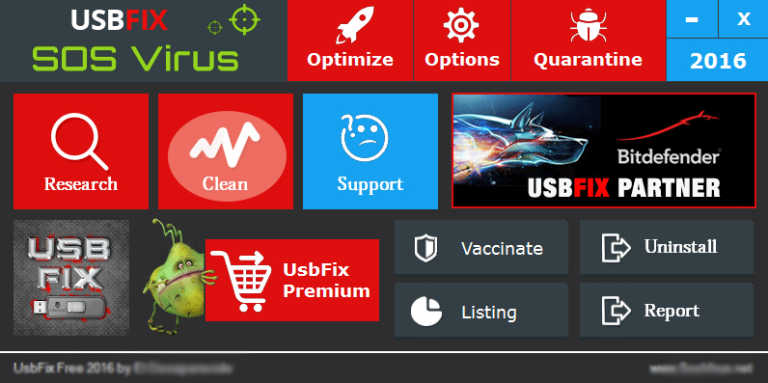
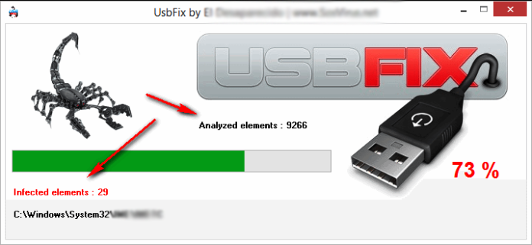
If you decided to remove your shortcut virus from your Pendrive or Harddisk with the help of a Software, then you need to Download the software Named UsbFix in your computer.


Key features Of UsbFix


  • Cleaning- As we all know USB Devices are essential for performing daily tasks, and they are more prone to be infected. So UsbFix is the software used for cleaning junk files and shortcut virus from your external USB drives.
  • Repair- It can repair the files that are already damaged by some virus or malware. UsbFix manages to restore the registry features and also repairs security features. It makes an autorun.if files in the USB Drive to protect against other infections that may occur in the future.
  • Backup- In case UsbFix had deleted the files that are already damaged it automatically makes a backup in the C:\UsbFix\Quarantine. which gives users an option to take back the deleted files.

How to use UsbFix to Remove the Shortcut virus from Your USB storage device.

Step 1. Download UsbFix Software in your computer, you can download the software by clicking HERE.

Step 2. Install and restart your computer.

Step 3. Connect Your USB Device which contains the shortcut or any other stubborn virus and then Run the Software.

Step 4. Then click on Clean button.

Step 5. After you clicked on Clean button wait until it cleans your shortcut virus from your USB Storage.

After the completion, restart your computer again. It’s necessary to restart after the cleaning process because this tool makes some changes in the Windows directory, which needs a restart. After that reinsert your USB Device again and you can see there will be no shortcut virus there.

Method - 3 Boot Time Scan

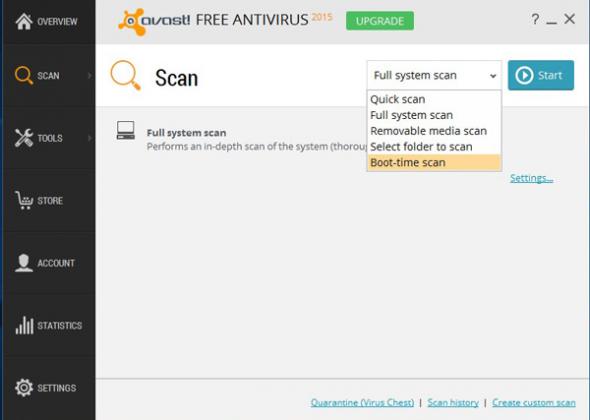
We all know what Boot-Time scan is. It is a very useful feature. It scans the PC Before Windows Load, thus preventing the virus from starting and load on the PC. Therefore, We recommend you to Run a Boot Time Scan if you recently spotted a Shortcut virus in Your Windows operating system.

You can use Kaspersky Rescue Disk. In order to scan your PC before Boot. You can visit Kaspersky Support Page if you need help regarding how to scan your PC. Or you can use Avast Boot Scan which is also a good one.

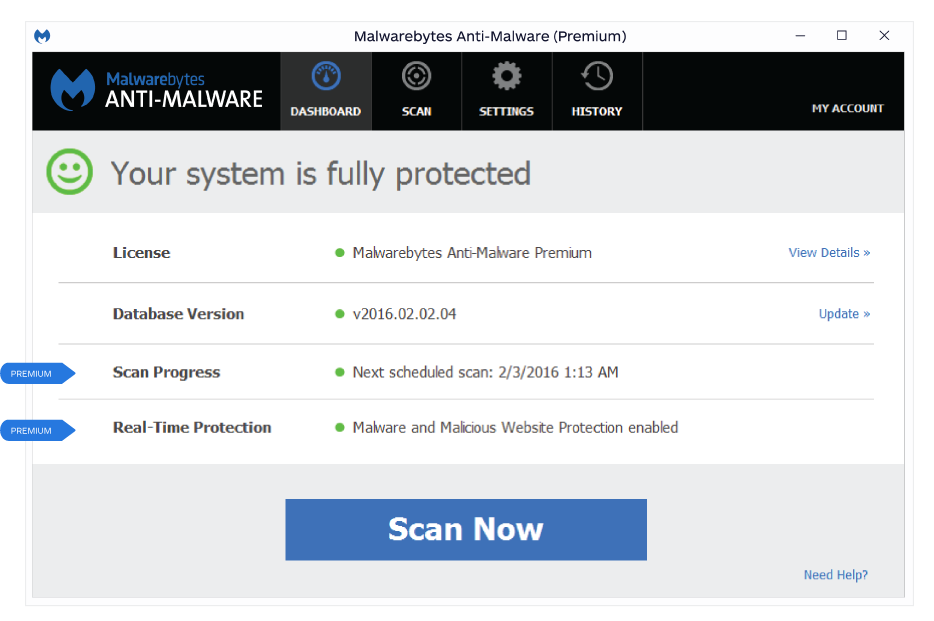
Method - 4 Using Malwarebytes

If your Computer is showing telltale signs of infections. Then it’s time to install Malwarebytes. It is the leading scanner and protects against unknown and known malware. It detects and removes malware on an infected computer with industry-leading anti-malware, anti-spyware, and anti-rootkit tech. Scans for the newest and most dangerous threats. Safely removes malware.

So above are the four methods that will help you to remove the shortcut virus from your computer or Pen drive automatically. If you are facing any issue at any of the mentioned methods, feel free to ask us in the comments below. Share this post with your friends too!

Leave Your Comments Here

Make a Free Website with Yola.