Today I am going to share an interesting trick on scheduling WhatsApp Messages on Your Android Smartphone, read the full post to know much more about it.
Steps to Schedule Whatsapp Messages On Android:
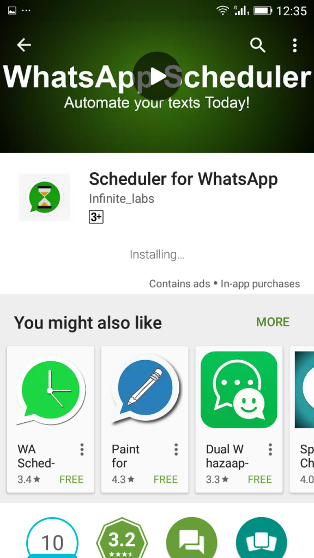
Step 1. First of all, you need to downloadScheduler for WhatsAppApp on your android device.
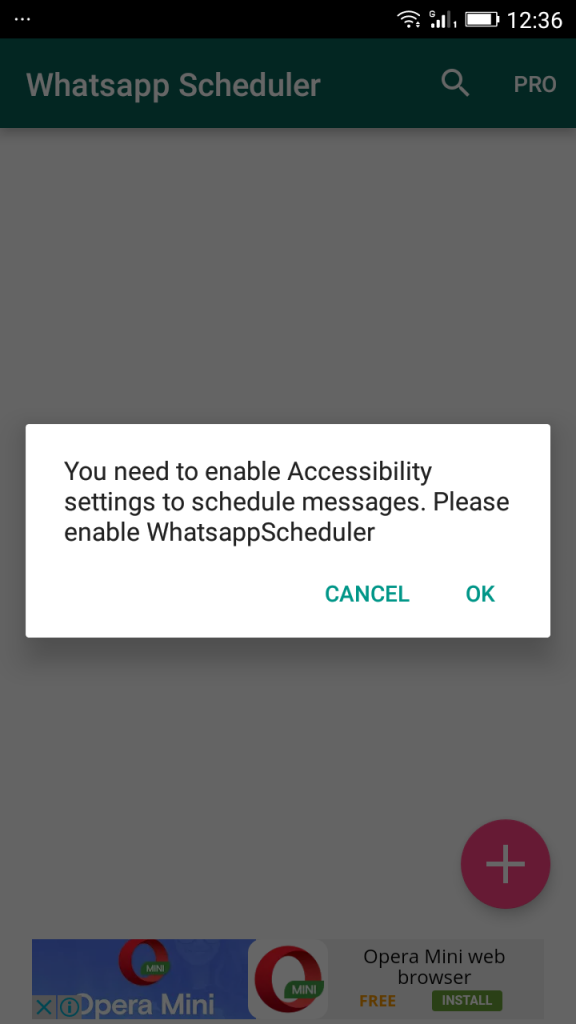
Step 2. Once installed, open the app it will ask you to enable Accessibility settings to schedule messages. Simply tap on “OK”
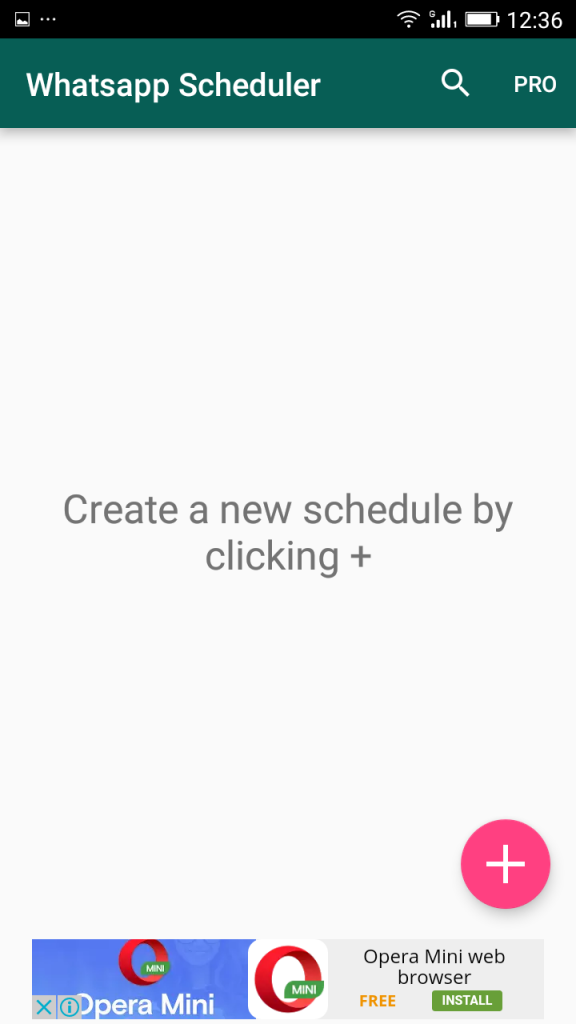
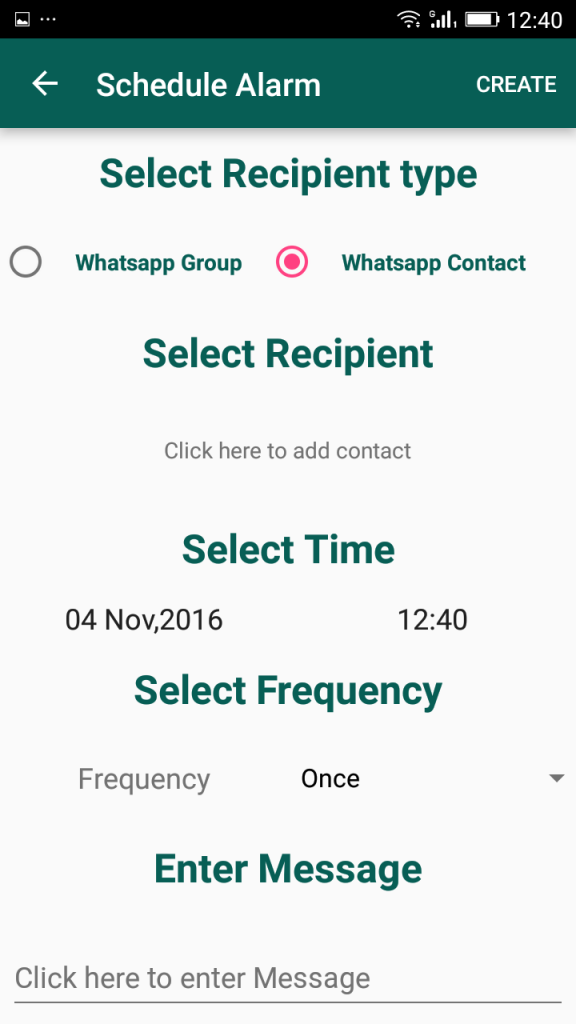
Step 3. Now there you need to Tap on the “+” to create a schedule.
Step 4. Now you can “Select Recipient”, “Select Time”, “Select Frequency” and at last enter the message to create a schedule.
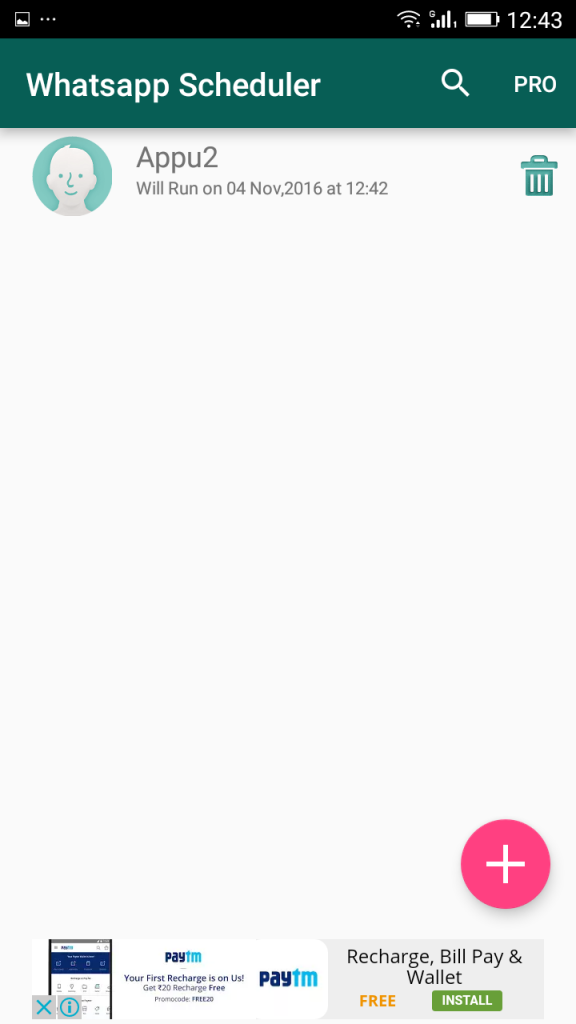
Step 5. Once you have created you can see the Scheduled task on the home screen of “Scheduler for WhatsApp”
That’s it! It works without root and by far the easiest way to send messages. Note: You Need to disable screen lock for better results.
You just need to schedule the greeting message and time to 12:00 and the message will be sent at the same time and there will be no need to wake up at 12:00 or wait for 12’o clock to message a person similarly this will help you a lot to recall something to someone by just scheduling the message. Don’t forget to share this cool post and Must leave a comment if you face any problem at any step.