Translate This Page

Total Hit Count


Tip of The Day

GET FREE UPDATES


How To Create Your Own GIF File In A Most Easiest Way

today we came up with a trick that will make you feel genius when you can also create your own GIFs is a few minutes. before we start you make sure that you have a bit faster internet connection because you will need to visit online site to perform this tutorial. giphy.com

Steps to make your own GIFs

Step1: Visit Giphy from your computer browser.

Step2: And you will see options as GIF MakerSlideshowGIF Caption and GIF Editor. Select as per your requirement. suppose we have selected GIF Maker. Next, follow below.

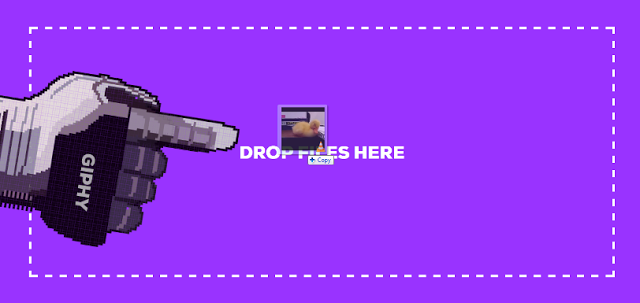
Step3: We already have One Video, which is ready to get uploaded. Just Drag and Drop your file on selected GIF Maker Tab.

Step4: You will see the process of video uploading and soon you will be provided with the option such as Start timeduration and Caption.

Step5: Adjust the Start Time to select from where to where the video will be played as a song cutter.

Step6: Now select the Duration, it is the speed of your video file you uploaded. Select and adjust how much speed your video file will run.

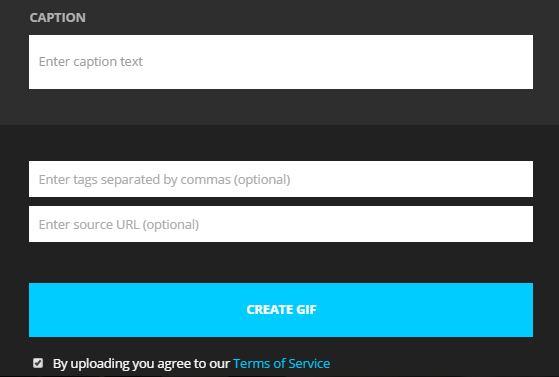
Step7: Now go for the Caption, Write what you want to!

Step8: All done, there is a box required for Tags which is optional, such as in which category this GIF will go. And also you can enter your website URL or your desired site URL.

After all, you have created a GIF file, share that with your friends and families. Have Fun.

If you have any question or doubt in the tutorial then feel free to comment using below comment box.

Comment Here

Make a Free Website with Yola.